
Tabs across windows
See live tabs by window, preserve pinned and grouped state, and act without moving tabs unexpectedly.
LOCAL-FIRST CHROME WORKSPACE
View, organize, save, and revisit tabs across Chrome windows—without an account or cloud service.
Local processing · No account · No analytics telemetry
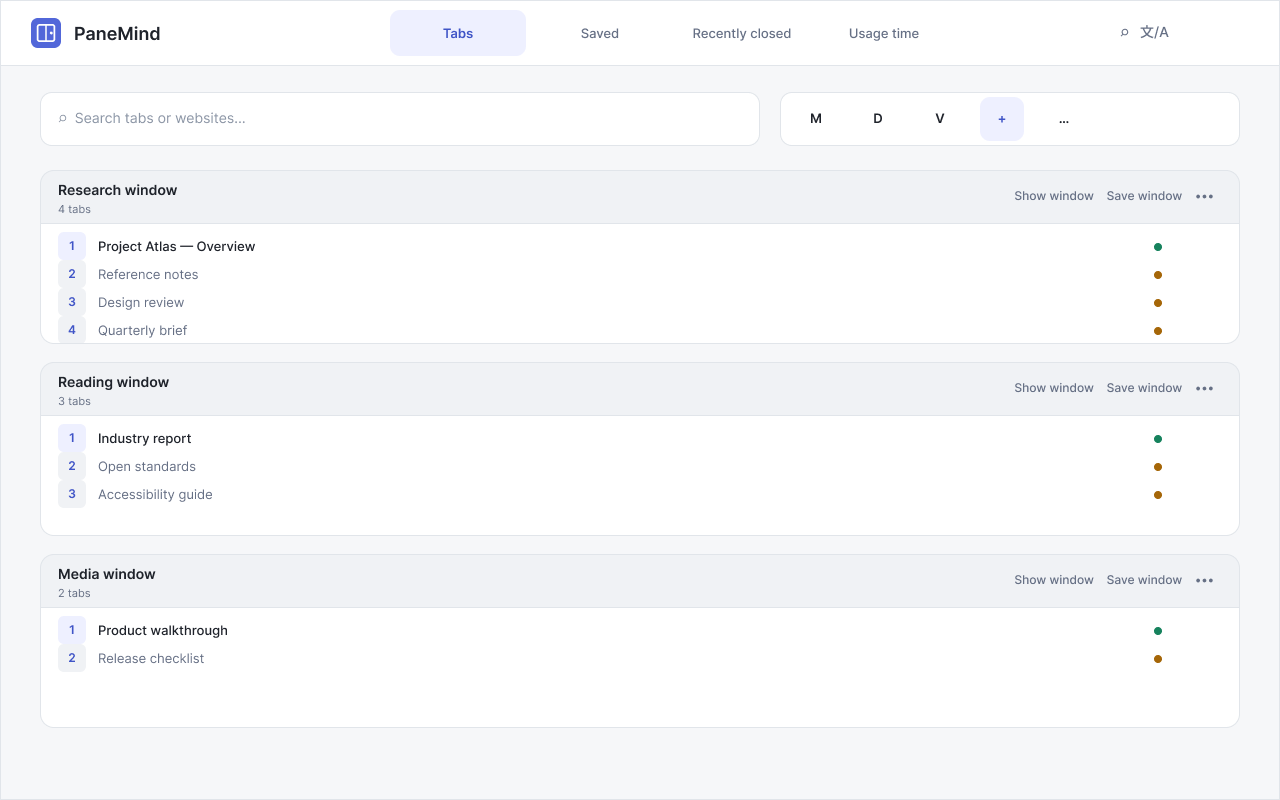
See live tabs by window, preserve pinned and grouped state, and act without moving tabs unexpectedly.
Keep useful windows and shortcuts locally in this Chrome profile, ready when you need them.
Reopen recent tabs and handle verified outcomes with quiet, object-owned feedback.
Off by default. Records foreground hostname time only, with retention and deletion controls.
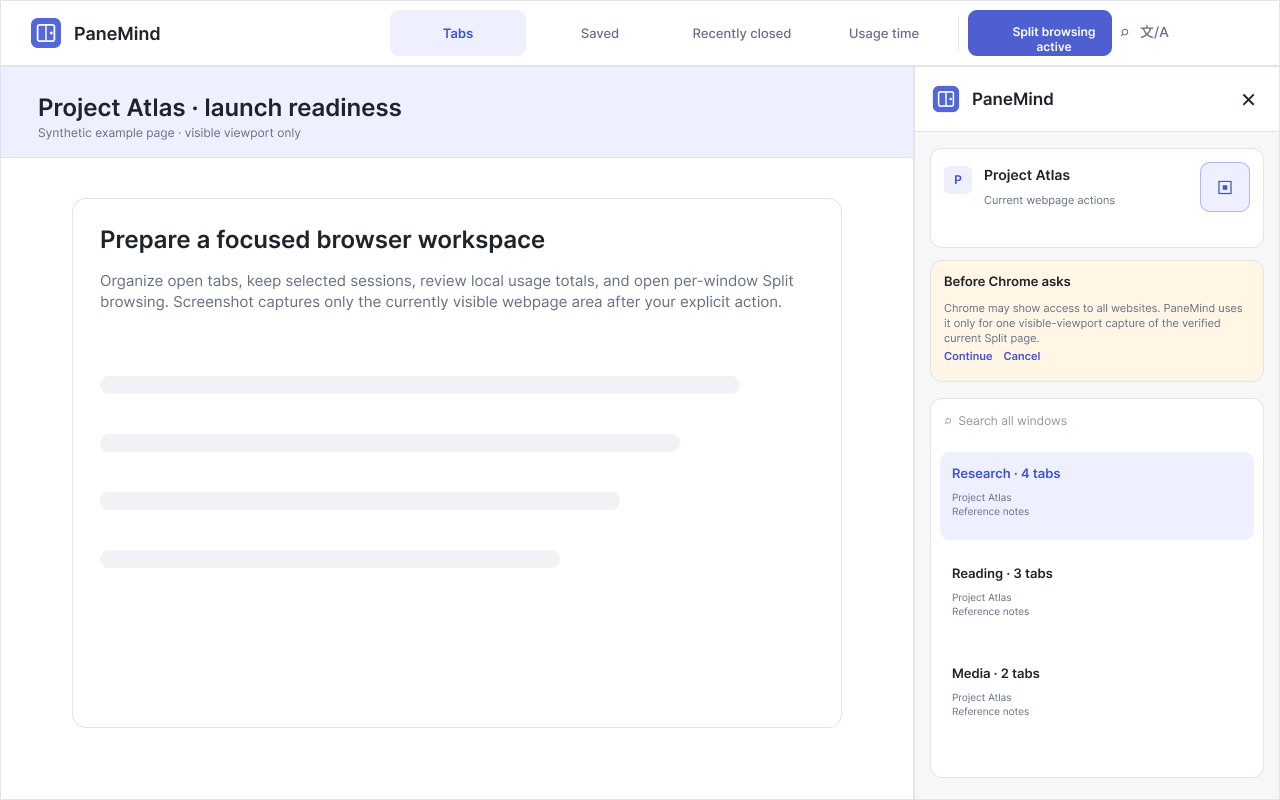
Browse a verified current page beside a compact all-window tab list.
After an explicit click, Chrome may grant all-sites access; PaneMind uses it once for the verified current Split viewport and previews the image in memory.
PaneMind becomes the workspace for tabs and windows.
Save windows, pin shortcuts, and recover recent tabs.
Usage time and Screenshot stay optional and explain their permissions before use.
PaneMind processes relevant tab metadata locally. It has no application account, database, ads, analytics telemetry, or automatic uploads.
Read privacy detailsNo. Core tab organization uses Chrome tab and window metadata. Screenshot captures only the current verified Split page’s visible area after your explicit action.
A capture is previewed in memory first. If you choose Save PNG, Chrome creates a local PNG according to your Chrome download settings.
Not yet. Screenshot editing and sharing are future ideas, not implemented in this release.